
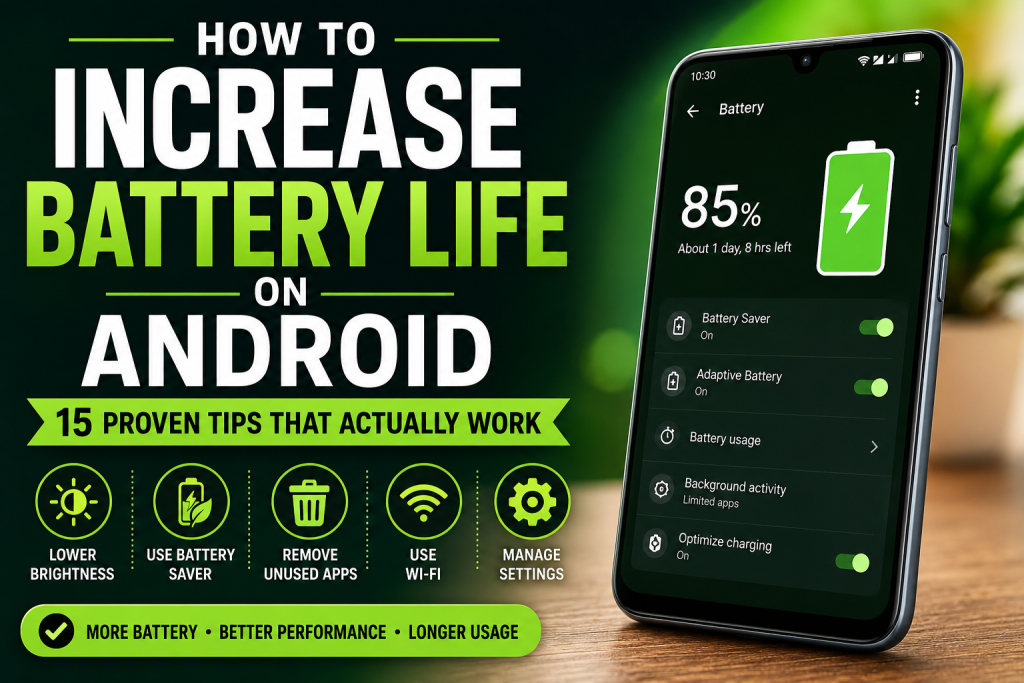
Learning how to Expend battery life on Android is important if your phone drains too quickly during the day. Whether you use your Android device for social media, gaming, work, or watching videos, poor battery life can be frustrating. Fortunately, there are many simple ways to Expent battery life on Android without spending money on a new phone.
Why Does Android Battery Drain So Fast?
Several factors can affect battery performance, including high screen brightness, background applications, location services, poor network signals, and outdated software.
How to Battery Life on by Lowering Screen Brightness
The display is usually the largest battery consumer on any smartphone. Lowering screen brightness can significantly reduce battery usage.
Tips:
- Enable adaptive brightness
- Reduce brightness indoors
- Avoid maximum brightness unless necessary
How to Expend Battery Life on Android Using Battery Saver Mode
Most Android phones include a built-in Battery Saver feature.
Battery Saver helps by:
- Limiting background activity
- Reducing visual effects
- Optimizing system performance
Using Battery Saver regularly can noticeably extend battery life.
How to Increase Battery Life on Android by Reducing Screen Timeout
A long screen timeout wastes energy when the phone is not actively being used.
Setting the timeout to 30 seconds or 1 minute can save a considerable amount of battery throughout the day.
How to Increase Battery Life on Android by Managing Background Apps
Many applications continue running in the background even when closed.
These apps may:
- Sync data
- Refresh content
- Send notifications
Limiting unnecessary background activity can improve both battery life and performance.
How to Increase Battery Life on Android by Removing Unused Apps
Unused apps consume storage, memory, and battery resources.
Regularly uninstall applications you no longer use to:
- Free storage space
- Improve performance
- Reduce battery drain
How to Increase Battery Life on Android with Dark Mode
Dark Mode can reduce power consumption on OLED and AMOLED displays.
Benefits include:
- Lower battery usage
- Reduced eye strain
- Improved nighttime viewing
Many users notice longer battery life after switching to Dark Mode.
How to Increase Battery Life on Android by Turning Off Bluetooth and NFC
Bluetooth and NFC are useful features, but they consume power when enabled continuously.
Disable them whenever they are not required.
How to Increase Battery Life on Android by Limiting Location Services
GPS is one of the most power-hungry features on smartphones.
To save battery:
- Turn off location when not needed
- Allow location access only for essential apps
- Disable background location tracking
How to Increase Battery Life on Android by Updating Software
Software updates often include battery optimization improvements.
Keep both Android and installed applications updated for the best performance and battery efficiency.
For official Android support, visit:
https://support.google.com/android
How to Increase Battery Life on Android by Updating Apps
Outdated apps may consume more power than necessary.
Updating apps can:
- Improve efficiency
- Fix bugs
- Reduce unnecessary battery usage
For app-related help, visit:
https://support.google.com/googleplay
How to Increase Battery Life on Android by Reducing Notifications
Every notification activates your screen and background processes.
Review notification settings and disable alerts from apps that are not important.
As a result, your battery will last longer throughout the day.
How to Increase Battery Life on Android by Avoiding Extreme Temperatures
Heat is one of the biggest enemies of battery health.
Therefore, avoid:
- Direct sunlight
- Hot cars
- Charging under pillows or blankets
Keeping your device cool improves long-term battery performance.
How to Increase Battery Life on Android by Using Wi-Fi
Mobile data generally consumes more power than Wi-Fi.
Whenever possible, connect to trusted Wi-Fi networks instead of relying on mobile data.
How to Increase Battery Life on Android with Regular Restarts
Furthermore, restarting your phone every few days helps clear temporary processes and improve efficiency.
A simple restart can:
- Refresh memory
- Stop stuck apps
- Improve system performance
Additional Resources
You can find more technology tutorials and troubleshooting guides on:
Browse our latest tutorials:
Need assistance? Contact us:
Developers can also learn more about Android optimization at:
Frequently Asked Questions
What drains Android battery the most?
The display, GPS, gaming apps, background applications, and mobile data are among the biggest battery consumers.
Does Dark Mode save battery?
Yes. Dark Mode can reduce power consumption on OLED and AMOLED displays.
Is Battery Saver mode safe?
Yes. Battery Saver is designed to safely reduce battery consumption and extend battery life.
How often should I restart my Android phone?
Restarting your phone once every few days can help maintain performance and battery efficiency.
Conclusion
Now that you know how to increase battery life on Android, you can make small changes that deliver significant results. By lowering brightness, limiting background apps, using Battery Saver mode, updating software, and reducing unnecessary features, you can increase battery life on Android and enjoy longer usage throughout the day. Consistent maintenance is the key to keeping your Android phone running efficiently for years to come.
For More About Android And Windows Check – how-to.cc/blogs/